
Satellite communication (SATCOM) has quietly become one of the most operationally important systems on the Airbus A350. It carries cockpit voice and data links for oceanic and remote-area operations, feeds the cabin connectivity system that passengers now expect as standard, and — on newer installations — supports real-time aircraft health monitoring back to base.
For line maintenance engineers, SATCOM is also one of those systems that looks simple on a block diagram and turns into a genuine head-scratcher on the ramp, because so much of its performance depends on things outside the LRU itself: antenna condition, cabling losses, and the aircraft’s relationship to a satellite it can’t always see.
This article walks through how the A350 SATCOM system is built, then focuses on the faults engineers actually chase during line checks and turnarounds, with practical fault-isolation approaches for each.
How A350 SATCOM Is Architected
The A350 SATCOM installation is based on an Inmarsat SwiftBroadband (or, on later retrofits, higher-throughput Ka/Ku-band systems from providers like Honeywell, Collins, or Thales) architecture.
The core building blocks are broadly consistent across configurations:
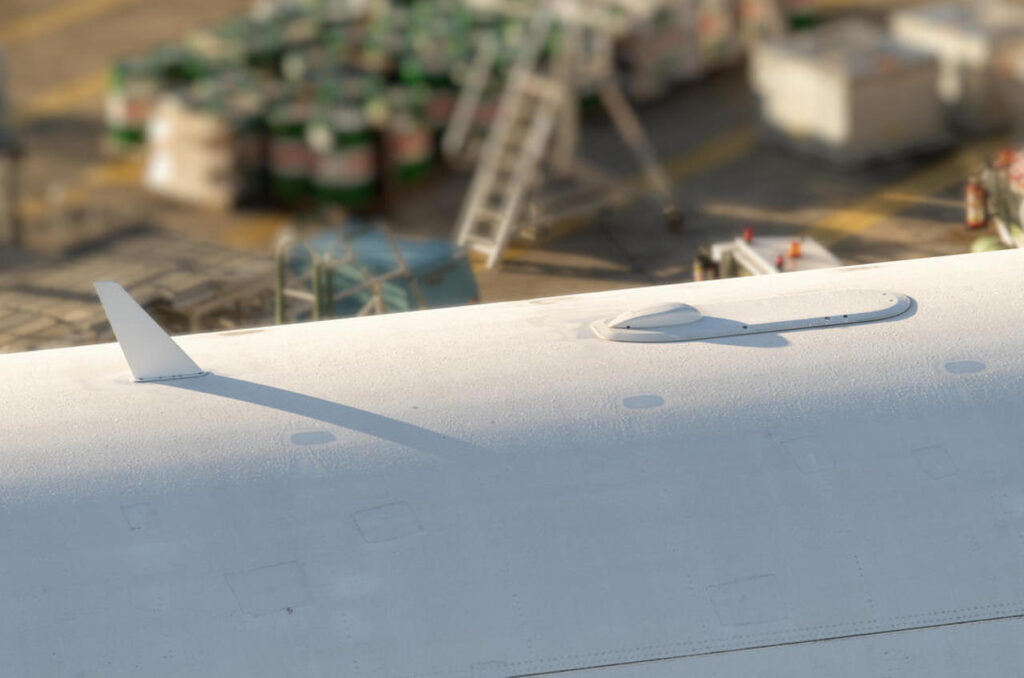
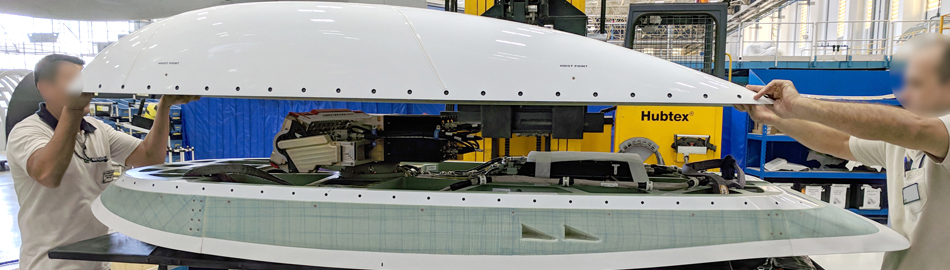
- SATCOM antenna — typically a high-gain, electronically or mechanically steered antenna mounted on the upper fuselage, aft of the wing box, positioned to maintain line of sight to geostationary satellites across a wide range of aircraft attitudes.
- High Power Amplifier (HPA) and Diplexer — amplifies the outbound signal and separates transmit/receive paths sharing the same antenna feed.
- Satellite Data Unit (SDU) — the “brain” of the system, handling modulation, call setup, channel management, and interfacing with the aircraft’s avionics networks.
- RF cabling and waveguide runs — connecting the antenna to the HPA/SDU, often the least glamorous but most fault-prone part of the installation.
- Cockpit Voice/Data interfaces — feeding ACARS, CPDLC, and cockpit SATCOM voice calls through the Communication Management Unit (CMU) or equivalent.
- Cabin connectivity gateway — a separate but related system that shares the antenna/RF front end in many installations, supporting passenger Wi-Fi and IFE data.
On the A350, most of this is monitored through the Centralized Fault Display System (CFDS)/onboard maintenance function, with SATCOM faults appearing as class 1, 2, or 3 messages depending on operational impact, and many linked to specific BITE (Built-In Test Equipment) test procedures in the AMM/TSM.
Common Line Maintenance Issues and How to Approach Them
1. Loss of SATCOM Link / No Satellite Acquisition
This is the fault that generates the most “SATCOM is unserviceable” write-ups, and it’s rarely a single-cause problem.
What engineers typically see
A SATCOM FAIL or LOSS OF LINK ECAM/CFDS message, intermittent or no cockpit SATCOM calls, or a dispatch-relevant MEL item triggered before an oceanic sector.
Likely causes and checks
- Antenna line-of-sight obstruction — check for recent airframe modifications, satellite phone blade antenna additions, or even heavy ice/frost buildup directly over the SATCOM antenna dome.
- Antenna pointing/steering fault — on mechanically steered antennas, a stuck or degraded steering mechanism will show up as intermittent acquisition that correlates with aircraft heading. Ground BITE tests that simulate satellite tracking are the fastest way to isolate this from a genuine RF problem.
- Low signal margin from cable degradation — connector corrosion or a pinched/chafed coax run between antenna and HPA is a classic slow-developing fault. A basic continuity and insertion-loss check against the AMM limits, rather than a straight pass/fail BITE result, often catches this before it becomes a full outage.
- SDU software/configuration mismatch — after an SDU replacement or database update, confirm the correct aircraft configuration and beam/satellite database load; a mismatched load can present exactly like a hardware fault.
Practical tip
Before chasing hardware, confirm the aircraft’s actual position relative to the intended satellite footprint at the time of the fault. Several “SATCOM faults” reported by crew are simply the aircraft operating at the edge of, or briefly outside, coverage — not a maintenance defect at all.
2. Intermittent Dropouts During Cruise
What engineers typically see
No fault on the ground, but recurring crew reports of dropped calls or data link resets at altitude, particularly during turns or specific headings.
Likely causes and checks
- Antenna steering lag — worth cross-checking recorded BITE fault history (not just the current leg) for steering-related fault codes correlated with heading changes.
- HPA thermal cycling — HPAs operating near their thermal limits can intermittently drop out as they heat-soak during long transmissions; check cooling/ventilation paths around the equipment bay if this correlates with longer flight segments.
- Marginal connector/cable condition — vibration-induced intermittent faults are notoriously hard to catch on the ground; a thorough visual and torque check of RF connectors along the run, especially near pressure bulkhead penetrations, is worth the time even when BITE shows no current fault.
3. SATCOM System Fails to Power Up / No BITE Response
What engineers typically see
No response from the SDU during BITE interrogation, blank status on the relevant MCDU/EFB maintenance page.
Likely causes and checks
- Confirm the relevant circuit breakers and power supply buses are correct — SATCOM equipment is often on a specific essential or standby bus configuration that can be missed during unrelated electrical troubleshooting elsewhere on the aircraft.
- Check for a stuck or corrupted SDU software load — a power cycle combined with a fresh BITE interrogation resolves a surprising number of “unresponsive” reports that turn out to be a hung processor state rather than a hardware failure.
- Verify databus connectivity — ARINC 429/664 depending on installation — between the SDU and the rest of the avionics suite. A single failed databus can make a healthy SDU appear completely dead to the flight deck.
4. Nuisance ACARS/CPDLC Message Failures Blamed on SATCOM
A recurring line maintenance trap: crew and dispatch report “SATCOM problems” when the actual fault lies elsewhere in the datalink chain — the CMU, VDR, or ground network — with SATCOM simply being the visible symptom because it’s the last link before the ground station.
Before replacing SATCOM LRUs, it’s worth confirming whether the same message types fail consistently regardless of link type (SATCOM vs VHF datalink), which usually points upstream to the CMU or the airline’s ground datalink service provider rather than the SATCOM hardware itself.
5. Cabin Connectivity Faults Misattributed to SATCOM
Because many installations share RF front-end hardware between cockpit SATCOM and passenger connectivity, a passenger Wi-Fi outage doesn’t automatically mean the cockpit SATCOM system is affected, and vice versa.
Confirming which functional path (voice/ACARS versus cabin broadband) is actually reporting the fault early in troubleshooting avoids wasted LRU swaps on the wrong system.
Fault-Isolation Principles Worth Keeping in Mind
- Trust the BITE history, not just the current fault. A single fault report rarely tells the full story; recurring intermittent faults are best diagnosed from patterns across several legs.
- Separate RF path issues from software/configuration issues early — they require completely different corrective actions and it’s easy to chase the wrong one.
- Correlate with flight conditions. Heading, attitude, and geographic position at the time of the fault are some of the most useful diagnostic data points available for SATCOM, more so than for most other avionics systems.
- Don’t overlook the physical antenna installation. Erosion, lightning strike damage, and even incorrect radome paint thickness from a recent repaint can degrade RF performance without triggering an outright system fault.
Why This Matters Operationally
SATCOM unserviceability isn’t always a straightforward MEL dispatch item — on ETOPS and long-range oceanic routes it can directly restrict route options or require alternate communication procedures.
Getting fault isolation right the first time, rather than swapping LRUs on a guess, keeps both dispatch reliability and spares costs under control, which is exactly why understanding the system architecture — not just the fault code — matters so much at the line maintenance level.